Who We Are

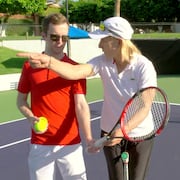
If you don’t know me, my name is Will Hamilton (that’s me in the pic below, with Martina Navratilova showing me her volley technique). I co-founded FuzzyYellowBalls.com
Our mission is to work with the greatest minds in tennis and have them share their secrets with you.
I’ve traveled all over the world to work with these experts. Hired film crews you’d normally only see on a Hollywood movie set. Paid all these experts for their valuable time. Thanks to the hard work of my accountant Michael, I know my mission has cost me over a million dollars and counting.
Play Dubs? Check out "THE DOUBLES PLAYBOOK"
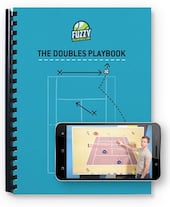
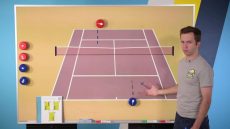
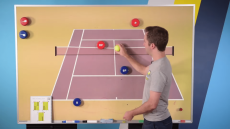
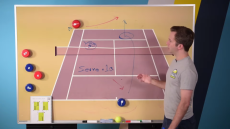
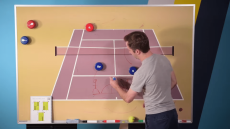
If you look at other sports, teams run plays. Soccer teams run plays to score goals. Football teams run plays to score touchdowns. Soccer teams run plays to score goals. When it comes to YOUR doubles game, you can run plays to set up easy put-away volleys and overheads at the net.
Inside “The Doubles Playbook” you’re getting 48 plays pros like Martina Navratilova, the Bryan Brothers, and Gigi Fernandez used to win 102 Grand Slam Doubles Titles, but adapted so mere mortals like you and me can use them to win USTA league and club matches.
And if you play with new partners all the time, “The Anticipation Formula” lets you run plays even if your partner doesn’t have a playbook and doesn’t know the plays.
Want to make 2019 your best year ever? Then pick up a copy of “The Doubles Playbook” here on this page!
CHECK OUT THE DOUBLES PLAYBOOK »Play mostly singles? Check out "THE SINGLES PLAYBOOK"
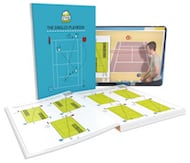
This is the playbook for beating any type of opponent. If there’s a guy or gal at your club you just can’t seem to beat, well, that all changes when you have “The Villain’s Playbook” in your tennis bag. The way it works is really weird, but awesome! Check out the video above to see how to use the playbook and your phone’s camera to instantly discover the right strategy for ANY opponent.
- The Pusher
- The Counter-Puncher
- The Aggressive Baseliner
- The Serve & Volleyer
- Dr. Feelgood (the “spin doctor”)
- The All-Court Player
- The Southpaw (lefty)